

































Black Friday Checklist: Step 3 of 4
Build Anticipation Before Black Friday
With your offers built, the focus shifts to building anticipation through pre-launch Black Friday gift card promotions.
- Use our pre-promotion tools in your Dashboard to communicate your Black Friday offers to your database and build anticipation.
- Start pre-promoting your offers via your email database throughout November. Send out teaser emails at least 10 days in advance, to raise awareness and build anticipation of your offers.
- Continue to build anticipation through email marketing in the lead-up to Black Friday weekend.
- Leverage social media pre-promotion prior to Black Friday with automated social media posts.
Segment Your Audience
Segment your email marketing lists so you can send targeted emails to:
- Your most valued customers — your existing cardholders, recent gift card buyers, regular customers, and loyalty members.
- Your wider audience — everyone on your marketing list receives the teaser, public reveal and final reminder.
- Corporate clients — present your corporate gifting offers alongside the public reveal
Tailor Your Messaging
Every pre-launch message should emphasise value, exclusivity, and urgency.
- Lead with the experience: Sell the moment the recipient will enjoy, whether a stay, a dinner, a treatment, or a product. Value-led messaging protects your price positioning and attracts higher-intent buyers.
- Highlight scarcity: Limited-time offers and limited quantities create credible urgency that drives conversion. Emphasise scarcity and demand through your messaging and ticking countdown timers.
- Position every offer as both a gift and a treat: Many Black Friday buyers purchase for themselves as well as for others, broadening the appeal of every offer.
Where to Promote
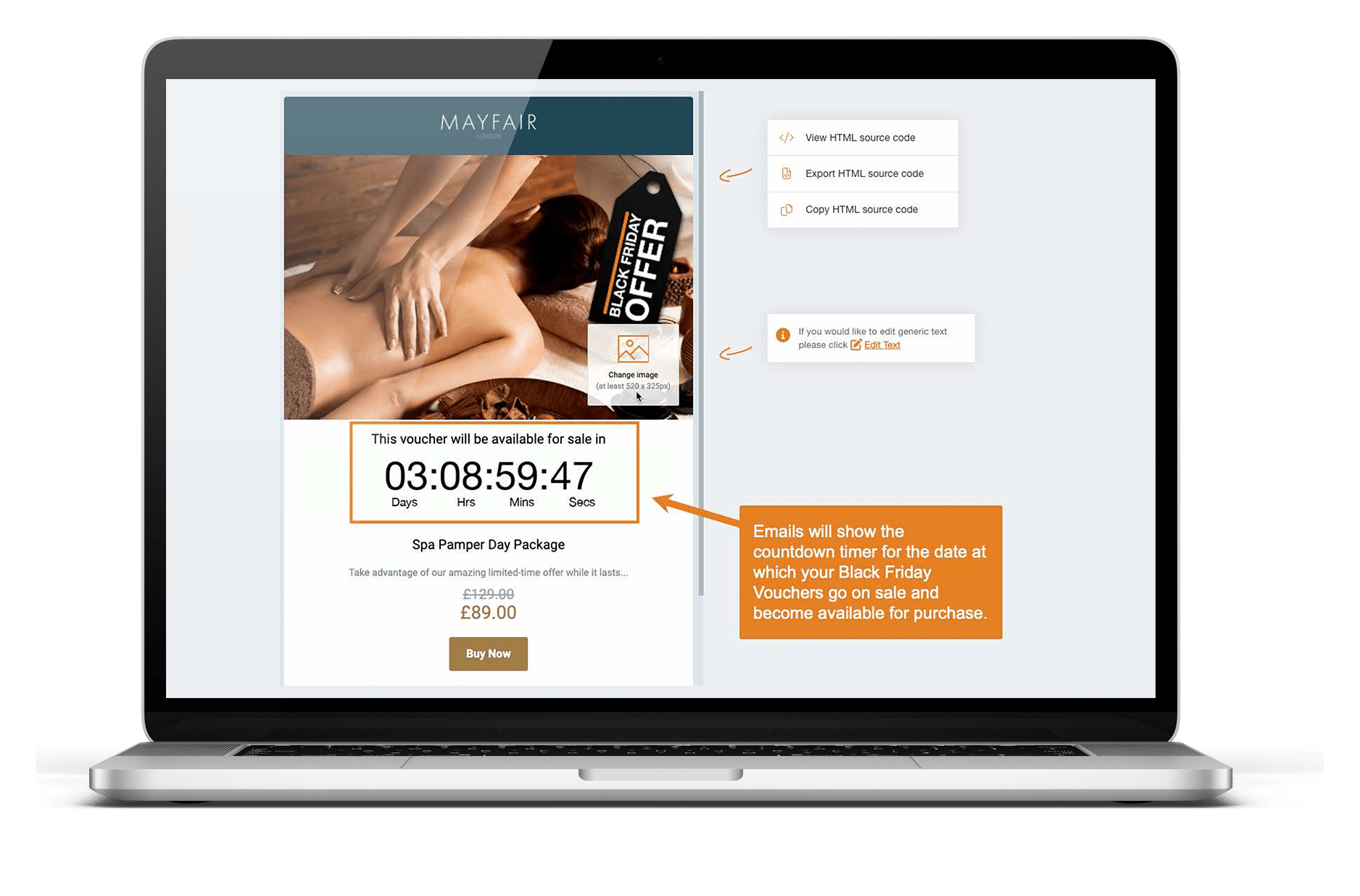
Generate seamlessly branded pre-launch emails for your Black Friday gift cards and vouchers, complete with ticking countdown timers that show when they will become available for sale, directly in your VoucherCart dashboard.
Go to Promotions > Email Promotions and select the voucher you want to pre-promote.
Export the HTML email and send it from your connected Mailchimp account or preferred email marketing platform.
Social Media
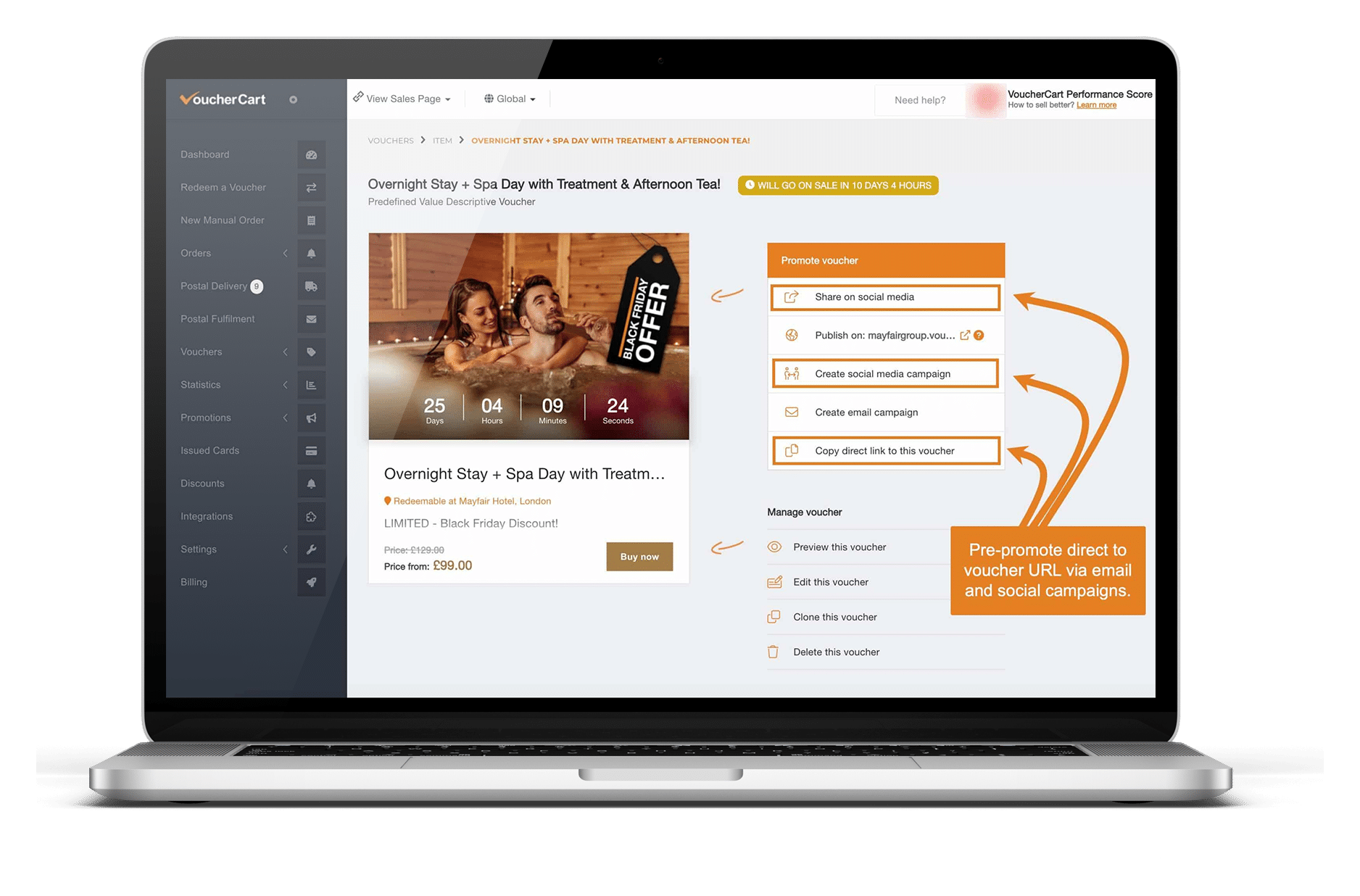
Vouchers not yet on sale can be pre-promoted on your social channels. Select the social promotion options when you finish editing a voucher, or share its sales URL directly.
Maximise visibility and stay top-of-mind with the following social media sequence: a teaser, an offer reveal, a countdown and a “launching tomorrow” post, all scheduled in advance.
In-Venue
Customers who visit in the two weeks before launch are among your warmest prospects.
Place POS Display Printouts at key touchpoints, from reception desks and table centres to treatment rooms and checkouts, with each QR code linked to your Black Friday category and your launch date clearly stated.
Customers who scan can preview your offers and their countdown before sales open.
Create them via Promotions > POS Display Printout, and brief customer-facing teams to mention your upcoming offers, so every conversation builds anticipation.
Measure and Refine
Treat your pre-launch activity as an early read on demand.
Track open and click rates for each email, test subject lines on your teaser, and note which offers attract the most interest. Set the strongest performer as your Featured Voucher at launch.